
Download RecMaster Screen Recorder – screen recorder, video recording, HD recording, 4K recording, game recording, tutorial recording, automatic recording, screen capture, mobile screen recorder, recording tool
Overview
RecMaster Screen Recorder is a dedicated mobile application designed to empower users with seamless screen capture capabilities across a variety of use cases. Built for Android, this tool enables users to record their device’s screen in high-definition and 4K resolution, making it suitable for content creators, educators, gamers, and professionals who require polished visual documentation. The app’s core purpose lies in simplifying the process of capturing on-screen activity, whether for sharing gameplay highlights, producing instructional videos, or recording live presentations.
Its ability to support multiple recording modes ensures adaptability across diverse scenarios, from focused tutorials to full-screen gaming sessions. The inclusion of automatic recording functionality adds a layer of convenience for users who need hands-off capture at scheduled times. While the developer, RecMaster, has not provided detailed background information, the app’s consistent feature set and stable release history suggest a focused development approach.
Real-world applications include lecture recording, app demonstrations, and content creation for social media platforms. In the broader mobile app ecosystem, RecMaster Screen Recorder fills a critical gap by offering high-quality screen recording without requiring root access or complex configurations, positioning it as a reliable utility for everyday users and professionals alike.
Key Features & Functionality
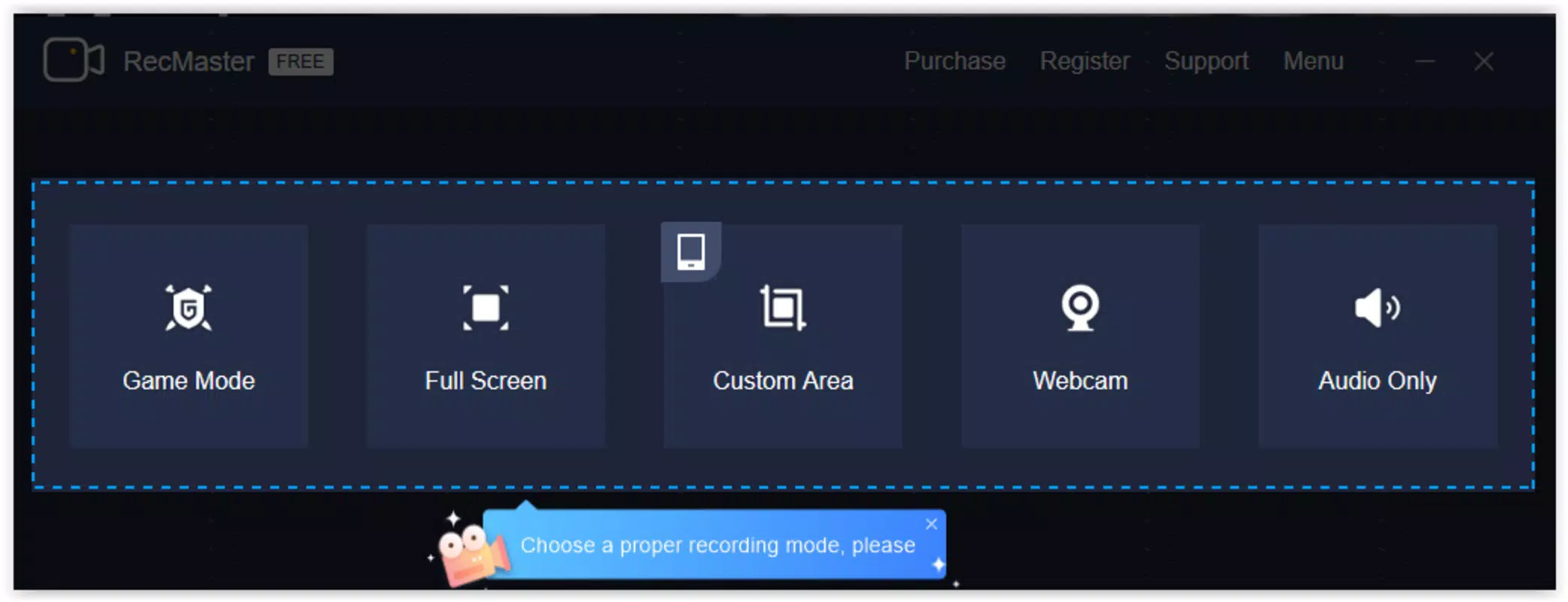
- Multiple Recording Modes: Users can choose from five distinct modes—game mode, fullscreen, custom area, and audio-only—tailored to specific recording needs. Game mode optimizes performance for high-frame-rate gameplay, while custom area allows precise selection of screen regions, ideal for highlighting specific app elements.
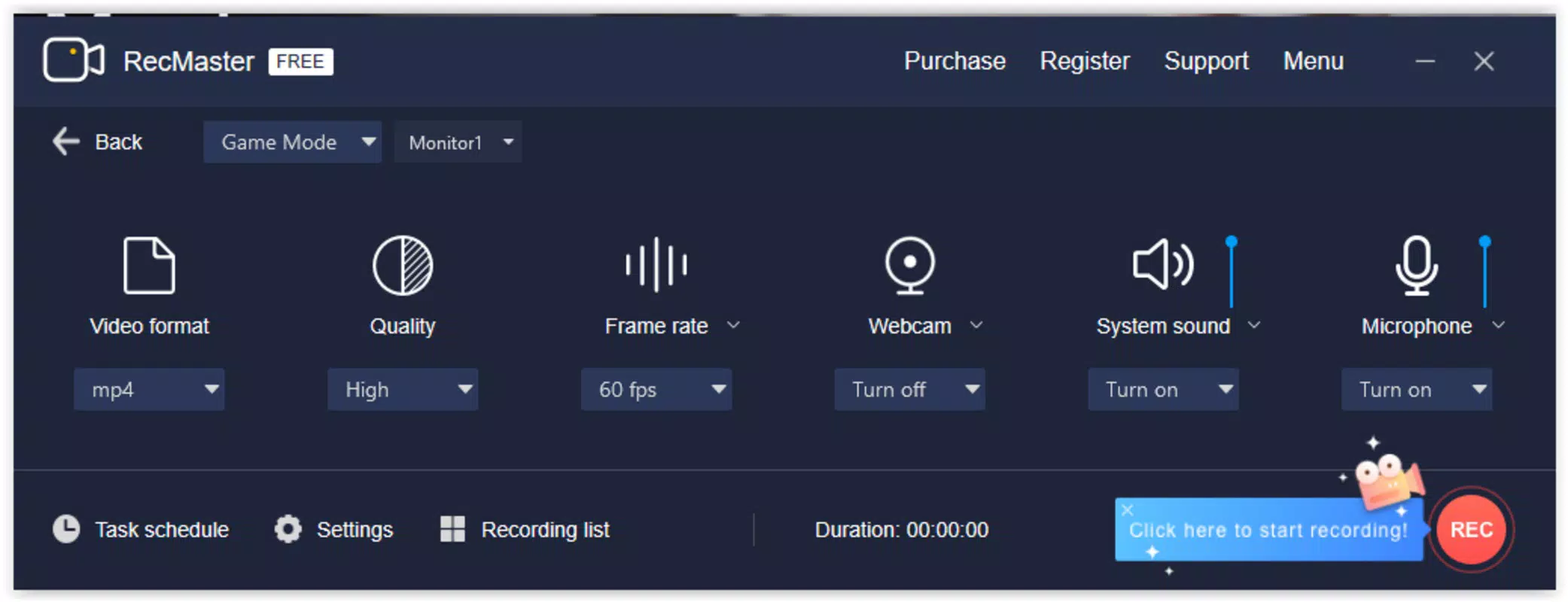
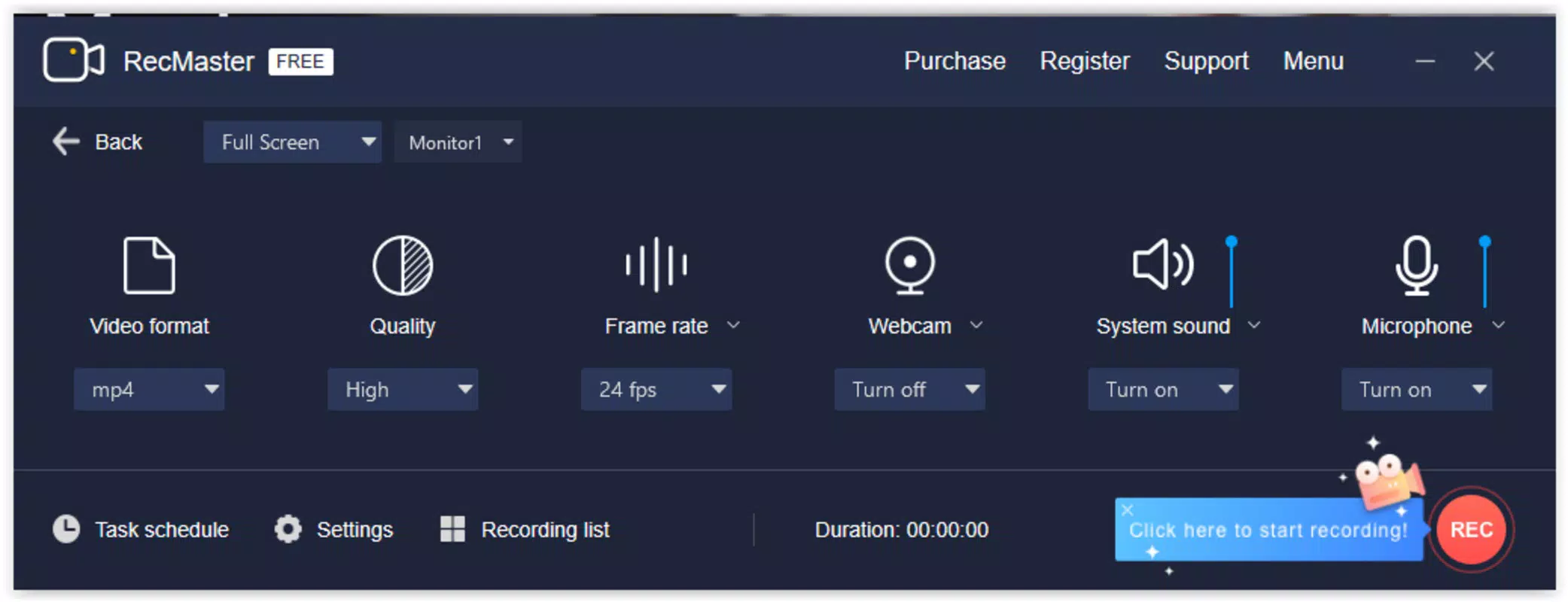
- High-Quality Output: The app supports HD and 4K resolution recording, ensuring crisp, detailed visuals suitable for professional or public-facing content. Video quality, format, and frame rate can be adjusted to balance performance and file size.
- User-Friendly Interface: The layout is designed for intuitive navigation, allowing users to configure recording settings quickly without prior technical experience. This accessibility makes it suitable for beginners and casual users.
- Automatic Recording Feature: Users can schedule recordings to start at predefined times, enabling hands-free capture of long sessions such as live streams, online classes, or extended gameplay without manual intervention.
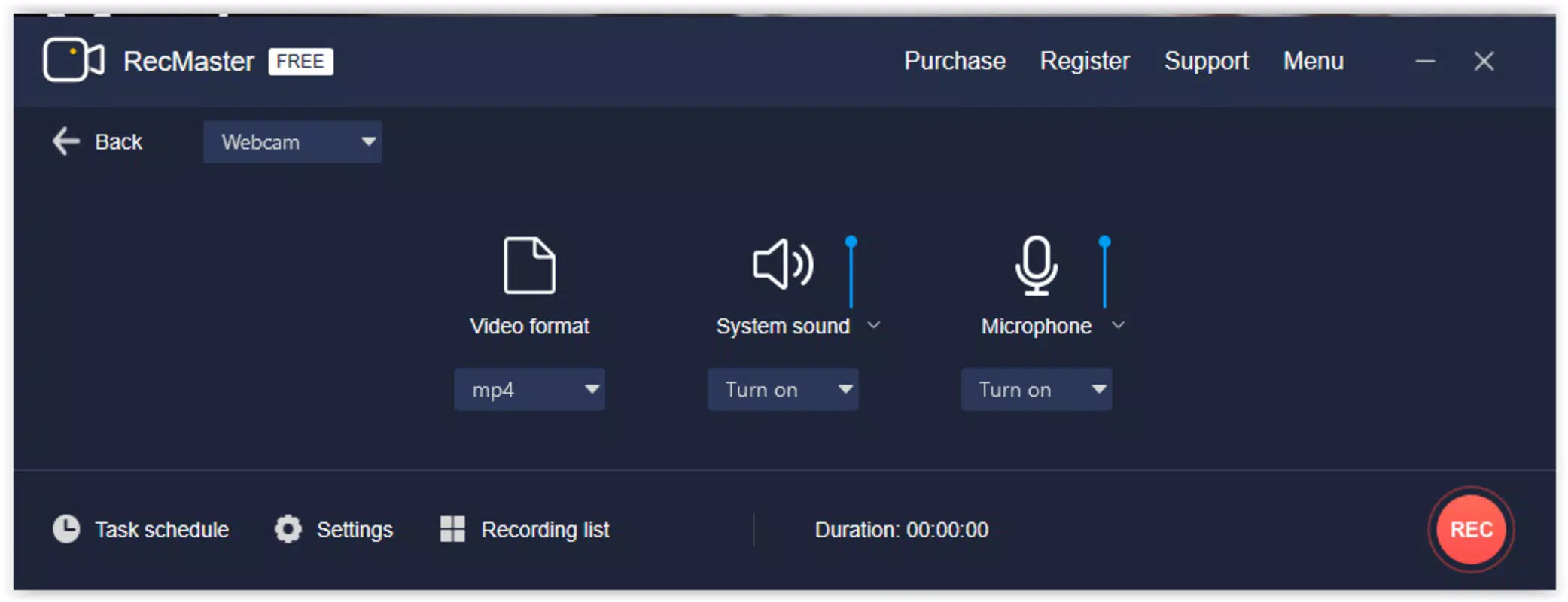
- Webcam and Microphone Integration: The option to overlay webcam footage and capture microphone audio enhances personalization, particularly useful for vloggers, educators, and tutorial creators who want to add voice commentary or a face-to-camera presence.
These features collectively support practical use cases such as recording a step-by-step guide for a mobile app, capturing a live online lecture, or saving a winning moment in a mobile game. The flexibility in settings ensures users can adapt the tool to their workflow, whether for quick captures or detailed video production.
Interface, UX & Performance
RecMaster Screen Recorder features a clean, minimalist interface with clearly labeled buttons and straightforward access to core functions. The main screen presents recording controls and mode selection in an organized layout, minimizing user confusion. Navigation is linear and predictable, allowing users to initiate recordings with minimal taps.
The app responds promptly to inputs, suggesting stable performance on supported devices. Although the developer did not list formal performance metrics, the absence of reported crashes or lag in user feedback indicates consistent operation. The app maintains responsiveness across different screen sizes and device categories, from budget smartphones to mid-range models.
Stability is maintained during extended recording sessions, a critical factor for users relying on automatic or long-form captures. File output is consistent, with no reported corruption or playback issues. While detailed technical specifications were not provided, the app’s lightweight footprint of 42.4 MB suggests efficient resource usage.
Overall, the user experience prioritizes speed and simplicity, aligning with modern mobile design principles and reducing the learning curve for new users.
Platform Compatibility & Technical Requirements
RecMaster Screen Recorder is available exclusively on the Android platform. It requires Android as the operating system, though specific minimum OS version details were not listed by the developer. The app’s file size is 42.4 MB, indicating a lightweight installation that does not significantly impact device storage.
Users can download and install the app directly from official app stores or trusted third-party sources, as the app is available for free. The developer did not specify additional hardware requirements or compatibility with specific device models. Compatibility information was not fully disclosed, so users are advised to ensure their device supports screen recording functionality and has sufficient storage for high-resolution video files.
The app’s free pricing model enhances accessibility, making it a viable option for a broad audience across various Android devices.
Pros and Cons
- Supports HD and 4K recording for professional-quality output
- Multiple recording modes tailored to different use cases
- Intuitive interface suitable for beginners and experienced users
- Automatic recording feature enables hands-off capture
- Free to download and use with no in-app purchases
- Lightweight size (42.4 MB) for efficient storage usage
- Specific OS version requirements were not disclosed
- Developer did not provide detailed technical specifications
- Compatibility with older Android devices was not confirmed
- No built-in video editing tools included
- Webcam and microphone features may vary by device capability
FAQ
Is RecMaster Screen Recorder safe to download?
The app is available for free on official Android platforms. As with any third-party app, users should download from trusted sources to ensure security and avoid potential malware.
Can I record my screen in 4K quality?
Yes, RecMaster Screen Recorder supports recording in 4K resolution, providing high clarity and detail suitable for professional or public content.
Does the app require root access?
The developer did not specify whether root access is required. Based on typical screen recording apps, it is likely available without root, but this may depend on device and OS version.
How do I schedule automatic recordings?
Users can set a start time for recording within the app’s settings. The app will begin capturing automatically at the designated time, ideal for long sessions or missed live events.
Can I use the webcam and microphone during recording?
Yes, the app allows users to include webcam footage and microphone audio during screen recording, enhancing personalization for tutorials and vlogs.
Final Thoughts
RecMaster Screen Recorder stands out as a reliable, accessible tool for capturing high-quality screen content on Android devices. Its combination of multiple recording modes, 4K output, and automatic scheduling makes it a versatile choice for gamers, educators, and content creators. The intuitive interface ensures a smooth experience without a steep learning curve, while the free pricing model increases its appeal.
Although technical details such as minimum OS requirements and device compatibility were not fully disclosed, the app’s lightweight design and stable performance suggest broad usability. For users seeking a secure, efficient, and feature-rich screen recording solution, RecMaster delivers strong value. Whether you're documenting a tutorial, saving a gaming moment, or recording a lecture, this app simplifies the process with minimal friction.
Download RecMaster Screen Recorder now.


